Skip to content
Illustration: a badminton player leaping for an overhead smash in a dim sports hall.

For clubs · academies · players

Long videos.
Epic moments.
Perfect reels.

Bring your match recording. Khel Vision finds the rallies, hands you the shortlist, and cuts the reel on your phone — ready to save, share or post. Now testing on Android and iPhone.
Controlled alpha · Android + iPhone

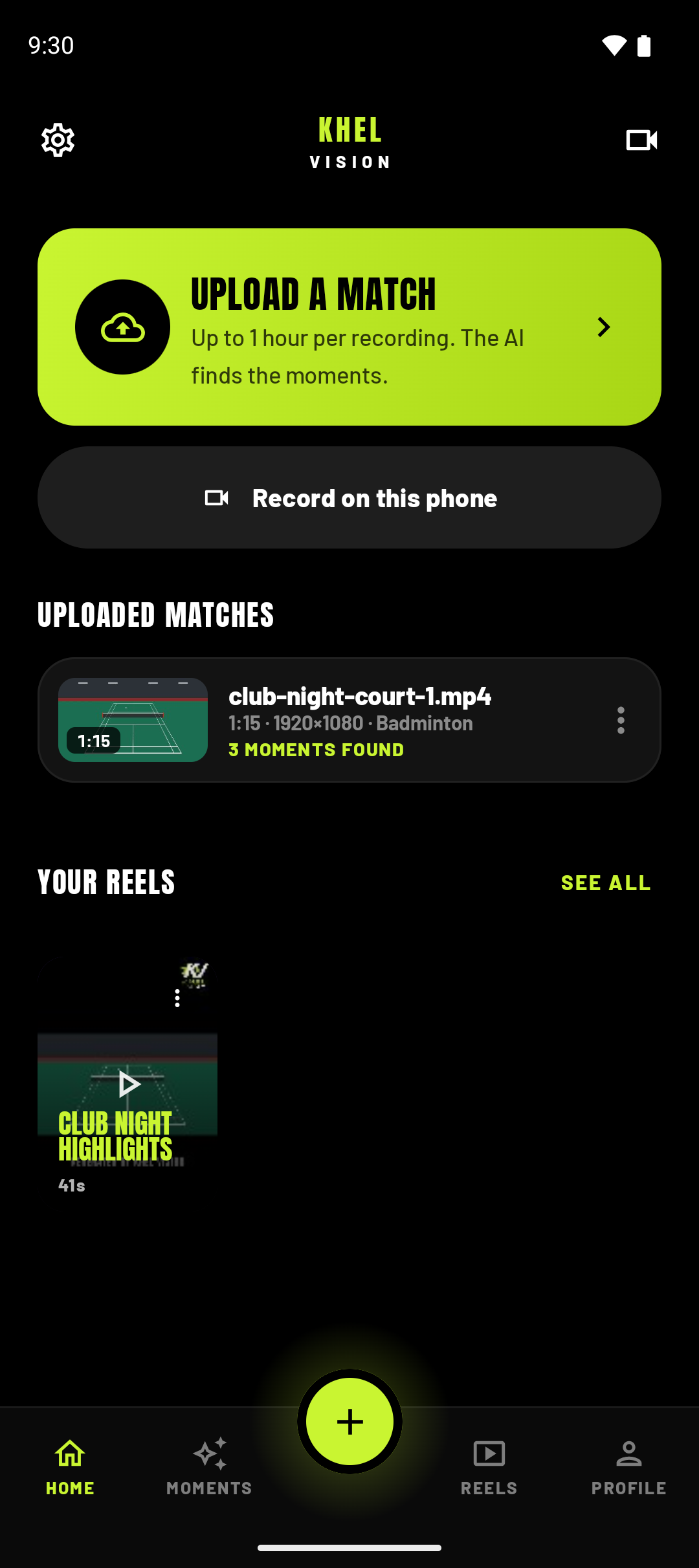
The Khel Vision home screen: Upload a match, Record on this phone, an uploaded match showing three moments found, and a finished reel.

Android app · Demo screens

Get the app

Your match. Your phone.

Khel Vision is in testing on Android and iPhone. Choose your phone to get started.

TestFlight · External enrollment pending

iPhone

Choose a recording from Photos or Files, pick your moments, and create a reel on your iPhone. Use the same testing form; external TestFlight enrollment is being prepared.

Get iPhone appHow TestFlight access works

Testing access is limited. Features and recording limits vary by platform. Installation and approval for analysis are separate steps.

2apps

Android and iPhone, with separate testing access

3steps

bring a recording, pick your moments, build a reel

0uploads

your finished reel is built on the phone and never sent to us

1camera

one phone that sees the whole court is the whole setup

How it works

Find the moments.
Make them yours.

  1. 01

    Bring the match

    Choose a recording from your phone and send it for analysis. On Android, you can also record it live or record it to send once connected, up to an hour per match.

  2. 02

    The rallies come back

    Review the rallies found in your recording, play them back, and pick the moments you want to keep.

  3. 03

    Build the reel on the phone

    Choose your moments and create the reel on your phone. On Android, trim and reorder them in portrait or landscape, or use Record on this phone for an automatic reel. Save or share it when it is ready.
Illustration: a badminton player lunging for a shot, backlit under a single hall light.

From the whole match

Every rally. None of the scrubbing.
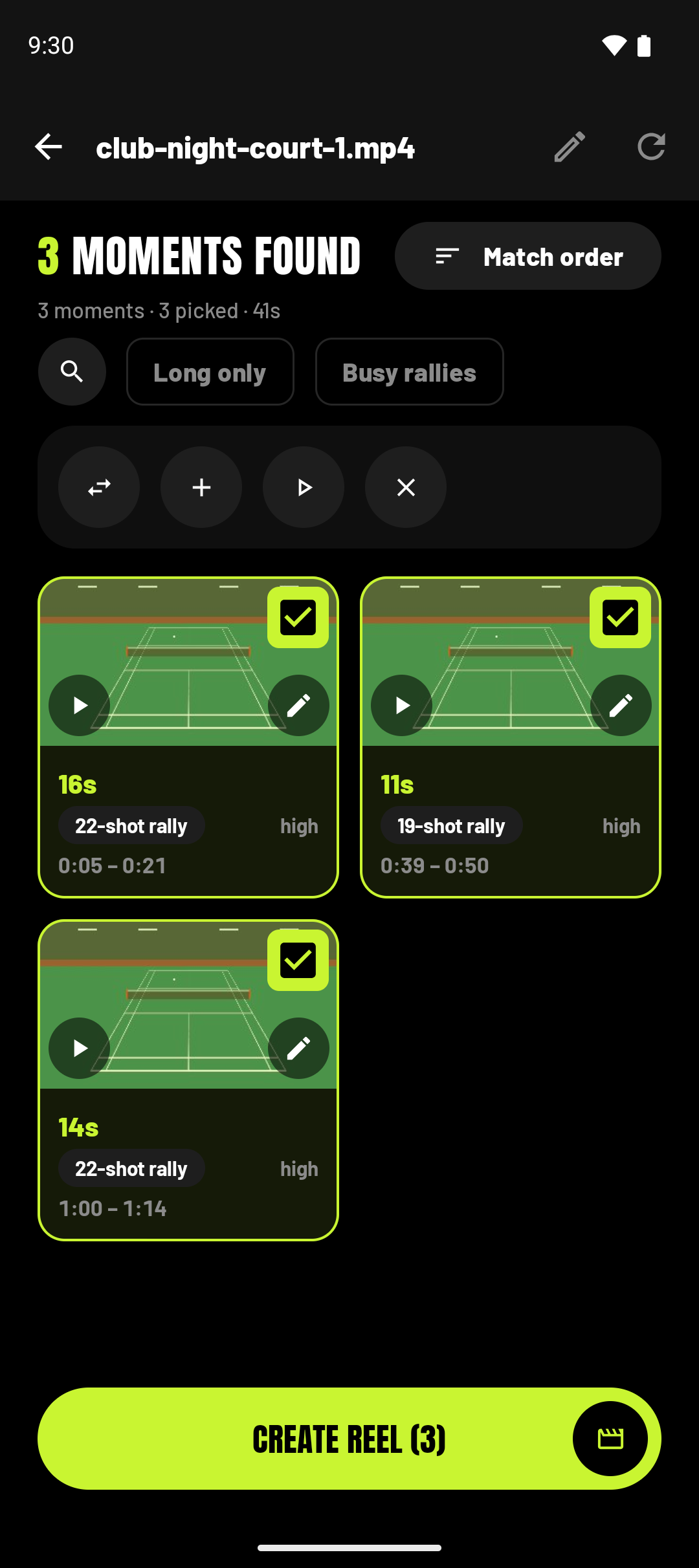
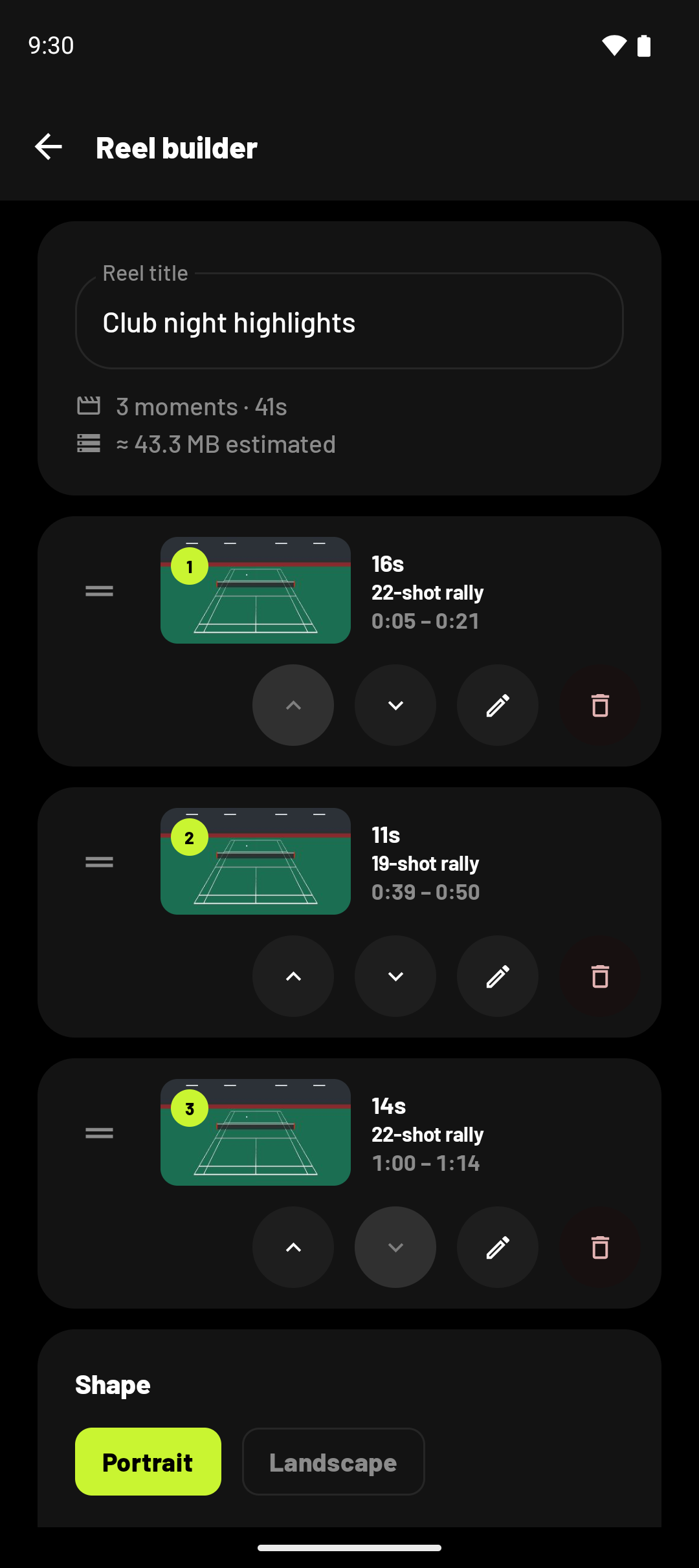
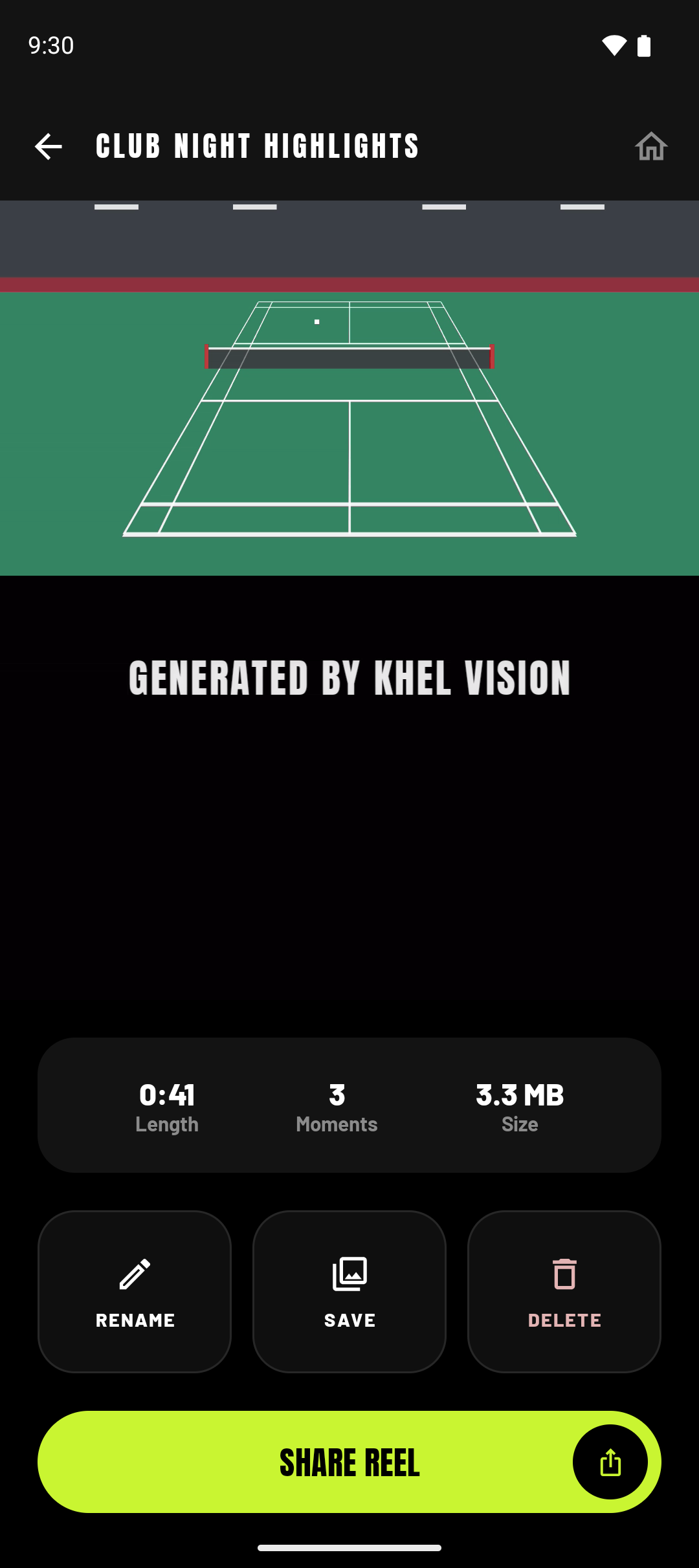
Android demo screens: select moments, arrange the reel, and watch the result.

Live at the court · Android

The rallies arrive while they are still playing.

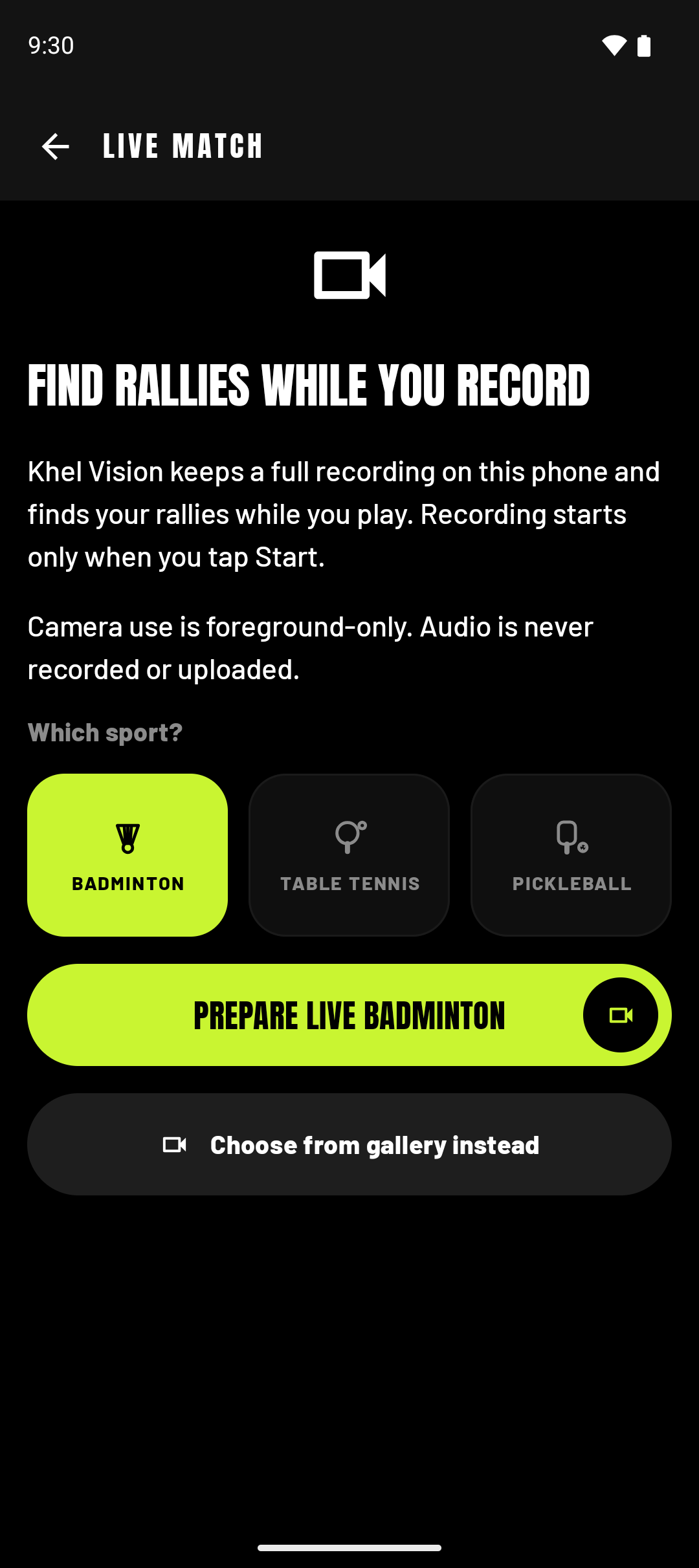
Put the phone on a tripod, pick the sport, and press record. Khel Vision sends the match as it happens and the rallies come back during the session — not after it, not overnight. By the time the players come off, the shortlist is already on the screen.

No file to find afterwards
Nothing to transfer off a camera, nothing to hunt for in a gallery. The match is in the app the moment it ends.
Watch the count climb
Rallies appear as they are found, and earlier ones are corrected as the engine sees more of the match.
Stop whenever you like
End the session and what has been found is yours. A session runs for up to an hour, and before you start the app shows how long it can run.

Android live capture records no audio and runs in the foreground. The iPhone test currently uses saved recordings.

The live match screen: find rallies while you record, with a sport picker for badminton, table tennis and pickleball.
Illustration: a table tennis player stretching wide to return the ball.

For coaches & academies

Review the session before the players have showered.

Stop scrubbing footage to find the rallies you want to talk about. Review a recording, or use live capture on Android with approved access.
  • Every rally placed exactly in the match
  • Watch any rally before it goes in the reel
  • Matches stay in the library for as long as you keep them
See live capture
Illustration: two club members on a courtside bench watching a badminton game, kit bags at their feet.

For clubs & organisers

One camera, placed to see the whole court, is enough.

A phone on a tripod films the club night. Each match becomes a reel a member can actually use — saved to the phone, sent to a group, or posted straight to social.

  • Portrait for social, landscape for the screen
  • Uploads resume by themselves when the Wi-Fi drops
  • Several accounts on one device, kept fully separate
About the Android app

Sports

Three sports today. Every sport next.

The Android app offers badminton, table tennis and pickleball in its sport picker. Available sports depend on your testing access. Check the options in your app before starting a recording.


  • Illustration: a badminton player lunging low to reach a shuttle.
    BadmintonSupported
  • Illustration: a table tennis player driving the ball over the table.
    Table tennisSupported
  • Illustration: a pickleball player crouching low to reach the ball, the net behind him.
    PickleballSupported
  • Illustration: a tennis player stretching for a forehand on an indoor court.
    TennisNext
  • Illustration: a padel player reaching up to smash a high ball.
    PadelNext

What we ask of you

Two conditions, and one rule with no exceptions.

These are conditions of use, not advice, and the app asks about them per recording rather than once at sign-up — because the answer differs from one match to the next.

  1. A source you give Khel Vision must be a recording you personally own or are authorised to provide.
  2. Every identifiable person in it must be an adult who agreed to being recorded.

Footage involving minors must never be submitted, on any plan, for any purpose.
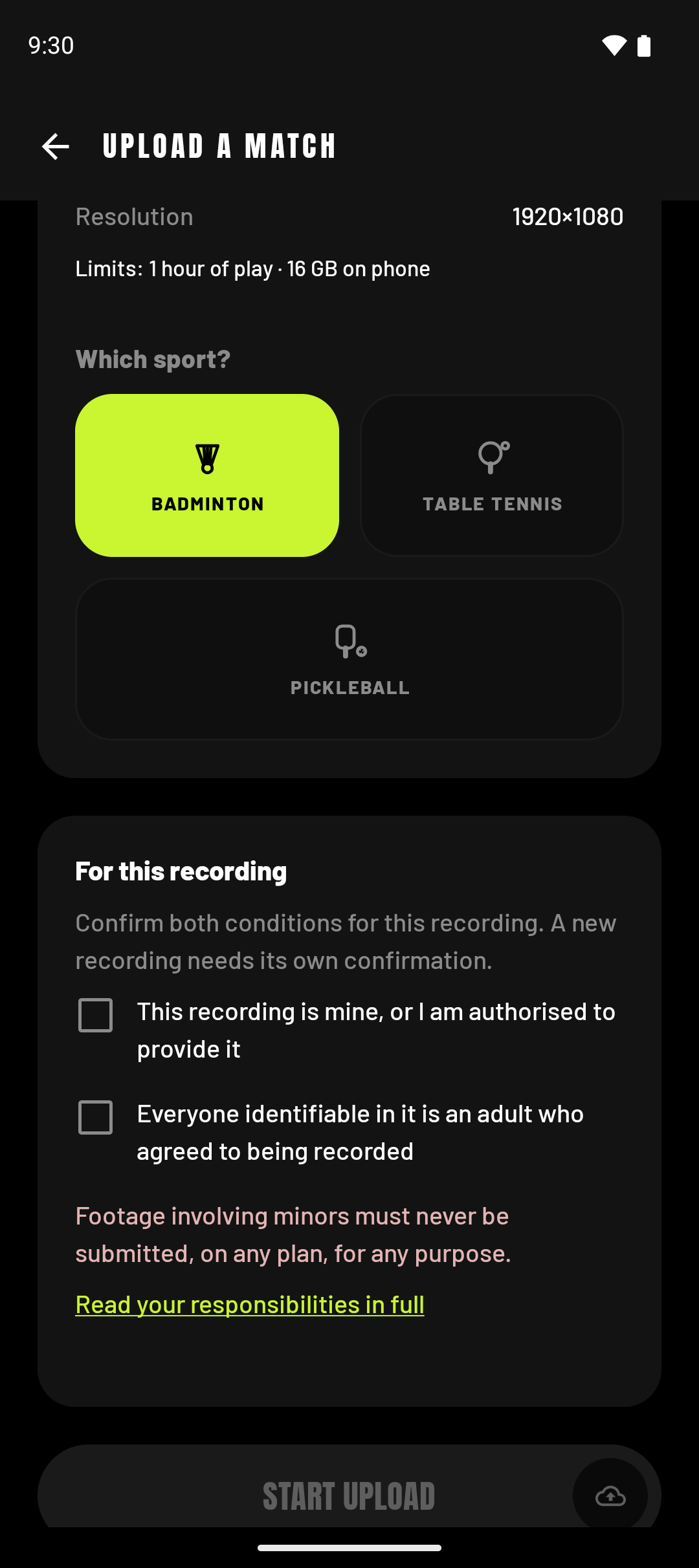
The upload screen: a sport picker, and the two conditions of use to tick before an upload can start.
Illustration: a dark court floor, a white line running beside a lime band.

Your last match is already a reel.

Try Khel Vision on Android or iPhone. Sign up once, then continue to the testing steps for your phone.